.png?width=150&height=59&name=Ampd_Logo_Full_color%20(3).png)
-
Go to the Ampd platform.
-
Go to the settings gear on the left-hand, bottom of the navigation.
-
Click Login under the Meta Account section.
.jpg?width=538&height=339&name=Connect%20Meta%20Ads%20in%20Ampd%20-%20step%201%20(2).jpg)
-
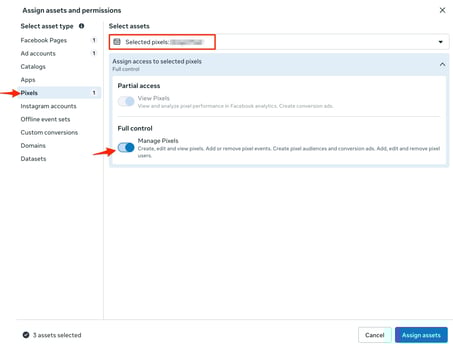
->Note that the person establishing the Meta to Ampd connection needs to have
Full Control of everything on the Ad account, Page, and Pixel.
-
-
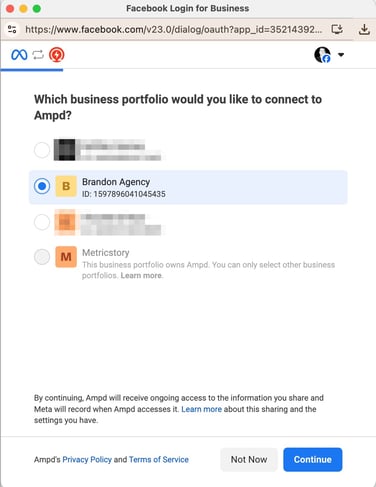
Select the business profile you would like to connect to Ampd.
-
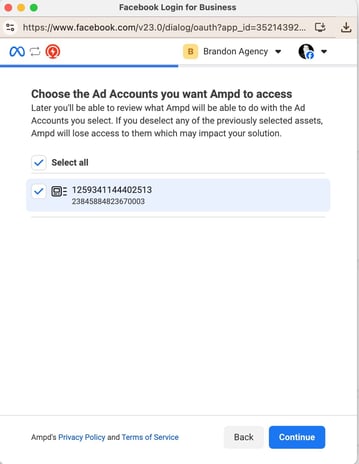
Next, choose the Ad Accounts you want
-
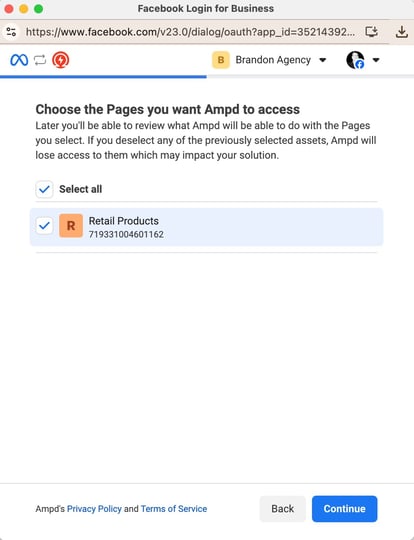
Continue to choose the Pages the ads will be using
-
Lastly, choose the Pixels you want Ampd to access
-
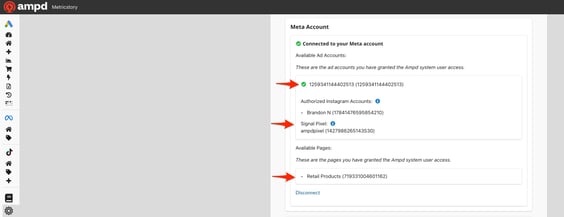
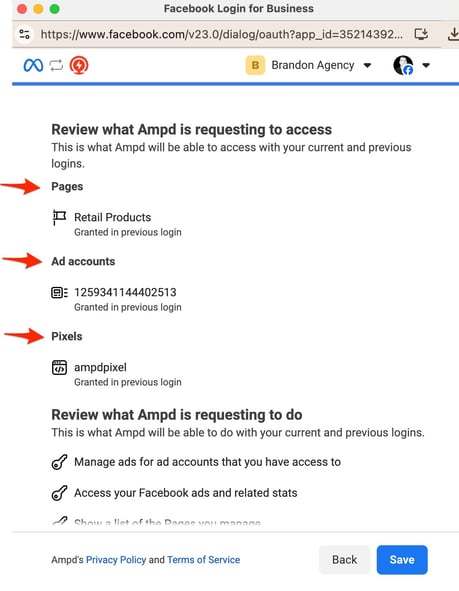
You should see this confirmation page indicating that the intended pages, ad accounts, and pixels have each been provided access.
-
Once the permissions are fully accepted, the Meta account section will show the available accounts with a green checkmark: