.png?width=150&height=59&name=Ampd_Logo_Full_color%20(3).png)
-
Go to the Ampd platform.
-
Click the settings gear in the bottom-left of the navigation.
-
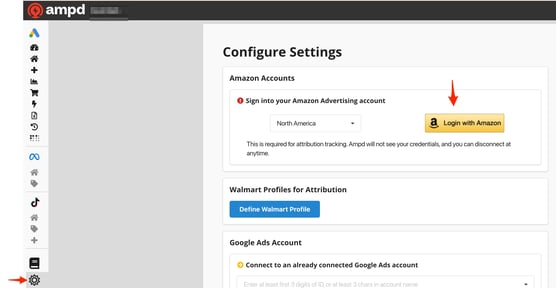
Under the appropriate section, click "Login" and follow and accept the permission prompts (ensure you have admin privileges on Amazon Ads, as this is required to connect both your Amazon Ads and Vendor/Seller accounts):
Amazon Ads Connection:
Amazon Seller or Vendor Connection: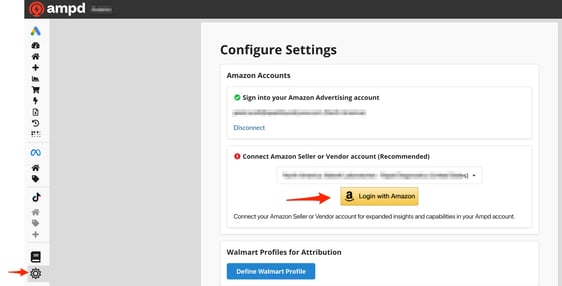
-
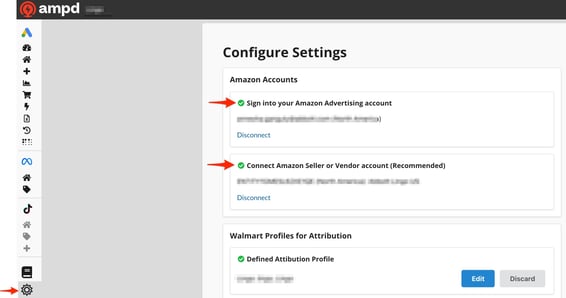
Once the connection is complete, the settings screen will display a green checkmark indicating a successful connection.