.png?width=150&height=59&name=Ampd_Logo_Full_color%20(3).png)
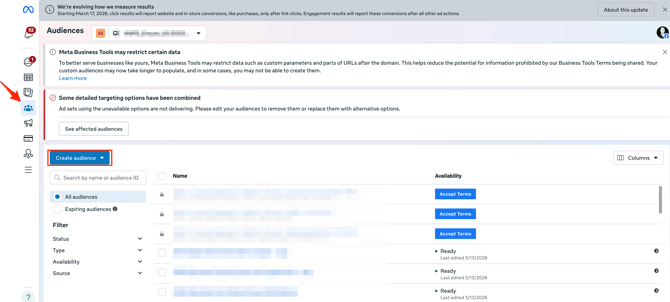
1. Inside Meta Ads go to "Audiences" and click "Create audience"
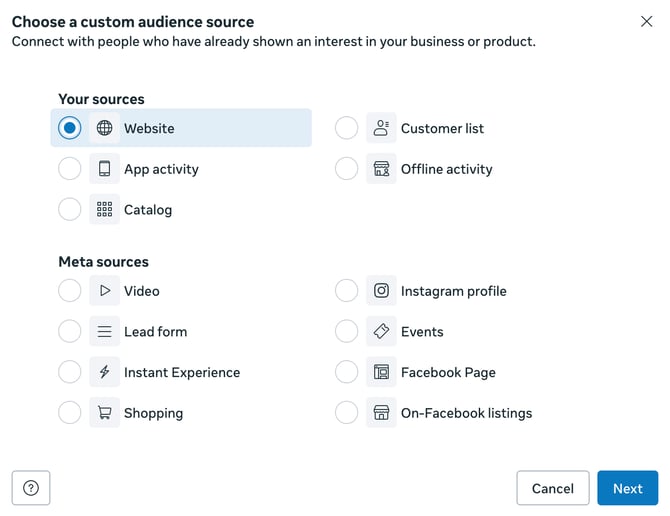
2. Select "Custom Audience" and choose "website" as the source
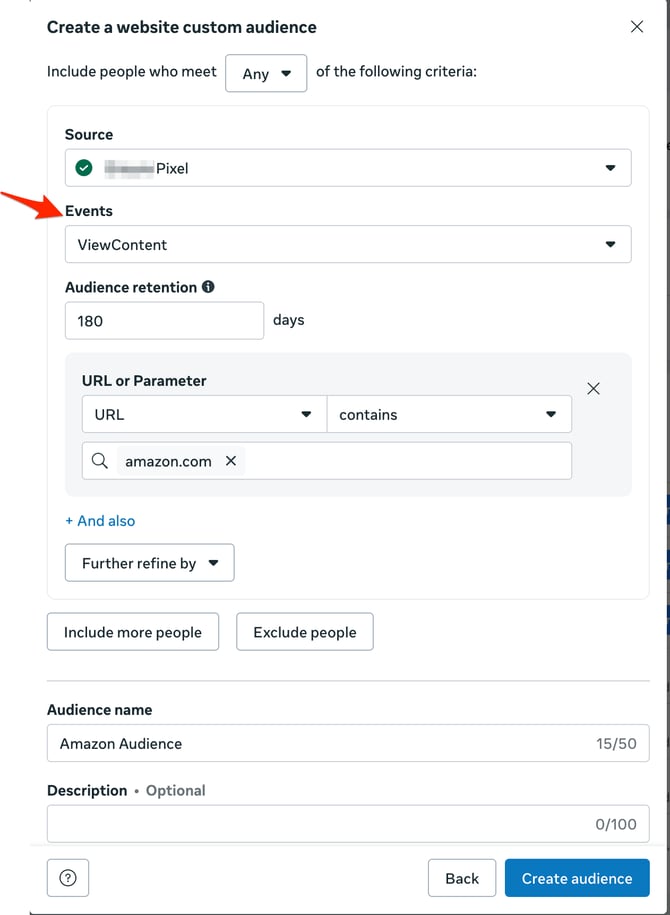
3. Set up the audience
-
Select the correct source (data set / pixel) that is being used by your ads.
- Under "Events" select "ViewContent".
-
Use the “Refine by” field to narrow your audience based on where users are being sent.
-
Enter broad retailer domains like Amazon.com, Walmart.com, or Target.com to group traffic at the retailer level or enter a specific landing page URL (e.g., a product or storefront page) to build more granular audience
-